

Delete profiles and suppress profile IDs
You can delete profiles from Customer.io from our UI or API. No matter which method you choose, when you delete a profile, you're deleting their data with them too. There is no way to recover a deleted profile's data!
If you are honoring a profile’s request to be forgotten, or simply want to prevent an identifier from being added to your Customer.io workspace in the future, you can suppress that identifier when deleting profiles.
Types of suppressions
Suppressions can mean a few different things:
- In Customer.io, you can suppress a deleted profile’s identifiers so they can’t ever be re-added to your workspace (good for GDPR compliance).
- Email service providers (ESP) suppress an email address to help you maintain good deliverability.
Email service providers (ESP) maintain lists of suppressed email addresses when profiles log a spam complaint or the address experiences a hard-bounce. ESPs won’t send to suppressed email addresses. If you use Customer.io as your ESP, you can view and manage your list in Workspace Settings > Email > Suppression List.
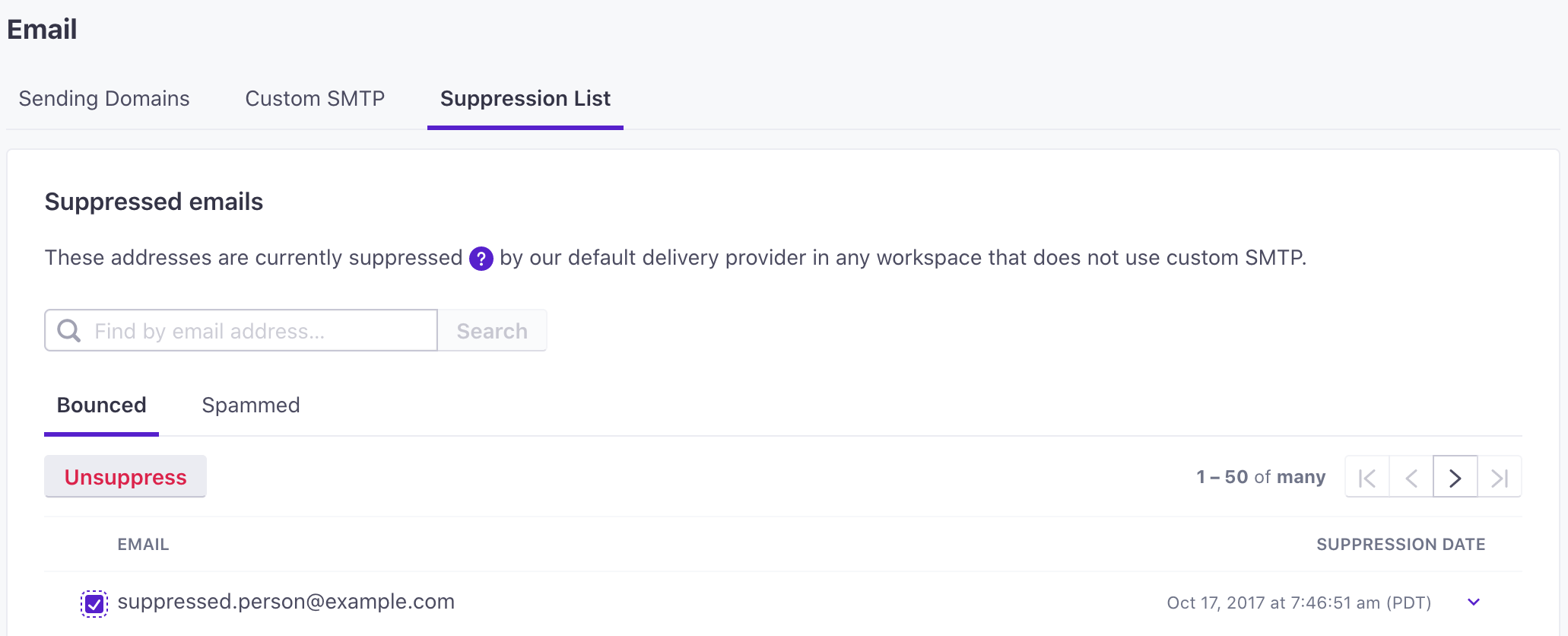
Otherwise, if you use a Custom SMTP server, you must manage your email suppression list through them.
Delete profiles
You can delete profiles in bulk or individually in your workspace. Go to the Profiles page to get started.
Delete profiles in bulk
You can filter for, select and delete individuals from the Profiles page.
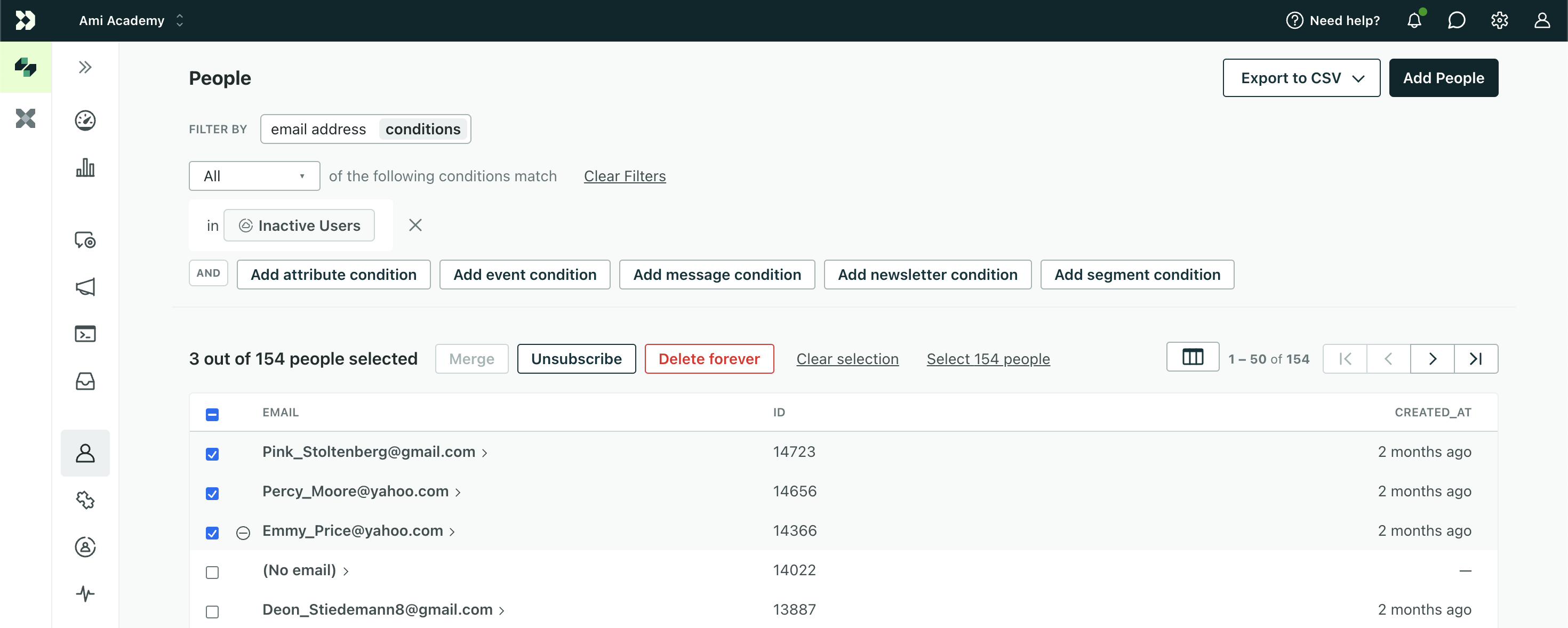
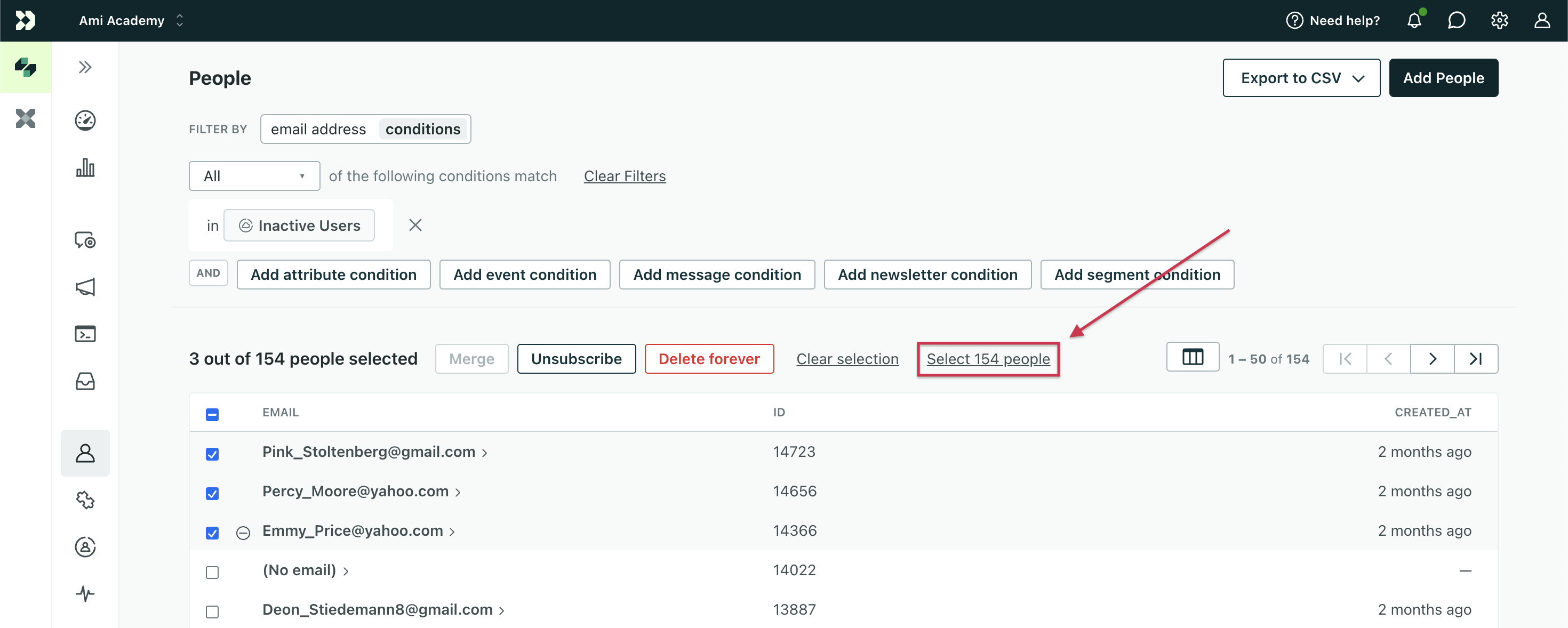
Alternatively, if you need to delete all of the profiles included in your search results (such as those matching a specific segment), click Select all ### profiles:
When you’re ready, click Delete forever to confirm your action.
Delete a single profile
You can delete a single profile with the method above or by clicking Delete forever on their individual page:
.png)
Once again, confirm that you want to delete them, and you’re good to go!
Delete profiles via API
You can delete profiles directly via API or through a webhook action in an automation.
See our Track API documentation for help deleting profiles programmatically.
Remember, if you’re sending data to Customer.io via other means (such as the JavaScript snippet), you can re-create profiles you’ve deleted! To avoid this, you should delete AND suppress their identifiers.
How suppressing IDs works
You can “suppress” profiles you delete. Suppressing a profile redacts activity attributed to the profile and prevents you from adding a profile with the same identifiers The attributes you use to add, modify, and target people. Each unique identifier value represents an individual person in your workspace.
Suppressing a profile suppresses all of their identifiers, but consider how you identify profiles according to your workspace’s settings:
- If your workspace is ID-only, suppressing a profile suppresses their ID.
- If your workspace identifies profiles by email, phone, or ID and you suppress a profile, you cannot add another profile with the same
id,email, orphone; all of their identifiers are suppressed.
If you need to export a list of suppressed identifiers, contact Customer.io.
If you delete and suppress a profile’s identifiers:
- You cannot reuse the deleted profile’s identifiers
The attributes you use to add, modify, and target people. Each unique identifier value represents an individual person in your workspace.
until you unsuppress them. - Any attempt to re-add a profile with a suppressed
id,email, orphoneis ignored or results in an error (CSV imports, API). - Activity attributed to the deleted and suppressed identifier (the profile) is redacted. Profile activity shows
forgotten (anonymous)entries for suppressed identifiers.
If you delete and don’t suppress a profile’s identifiers:
- You can reuse a deleted profile’s email or ID to create a new profile.
- A profile you add with the previously deleted identifier will have no prior data, including their unsubscribe status: the re-added profile can trigger previously received automations.
- Activity remains attributed to the deleted profile’s
<Tooltip term="cio_id" rename="cio_id" />. If you re-create a profile with the same identifier as the profile you deleted, the new profile does not regain the activity history of the previously deleted profile.
Suppress IDs
After you click Delete forever, you’ll need to confirm your action and decide whether to suppress the profile’s identifiers.
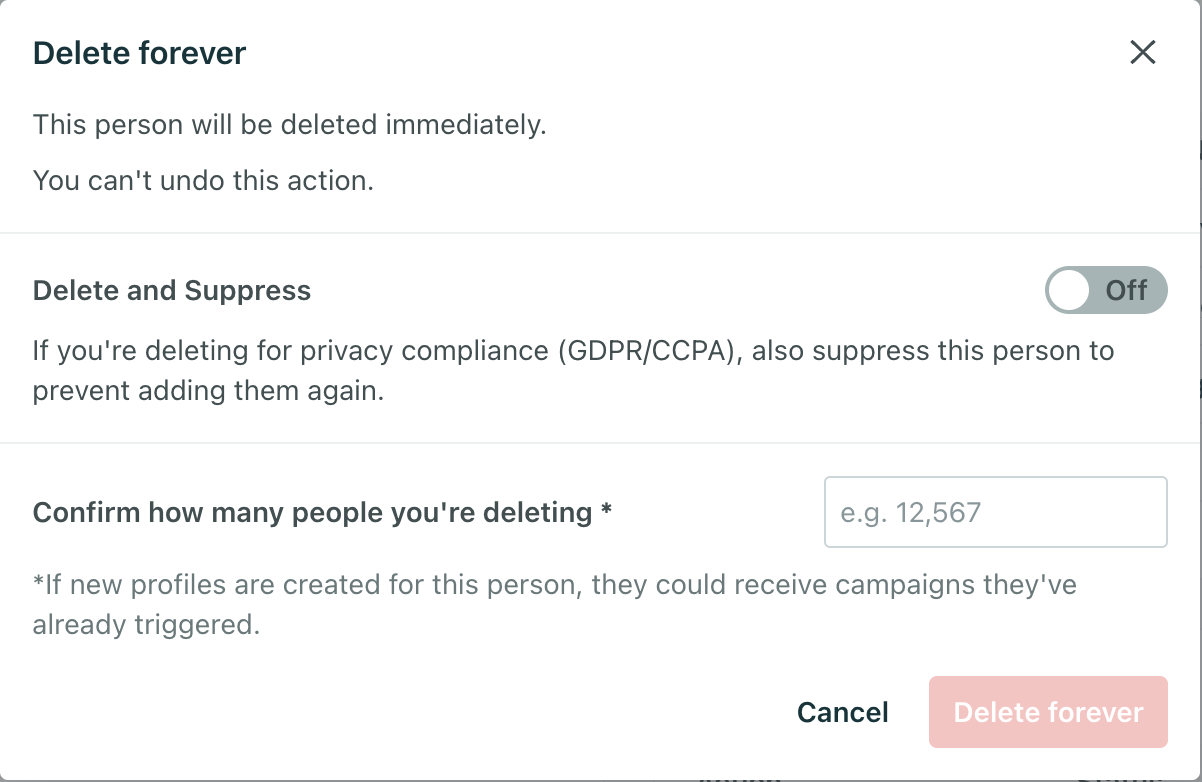
Suppress IDs via API
You can suppress an identifier to redact activity attributed to it and prevent a profile from being added to your workspace with the same identifier again.
You can delete and suppress profiles directly via API or through a webhook action in an automation.
If you suppress an identifier, we’ll ignore API calls referencing the identifier in the future. If you attempt to re-add a profile using an identifier that you previously suppressed, you’ll receive an error.
Suppressing a profile through our API also deletes a profile. You don’t need to call both the delete and suppress endpoints.
Use the following call, where the identifier is any of your workspace’s unique identifiers (normally id and email).
POST https://track.customer.io/api/v1/customers/:identifier/suppress
For more information, see our Track API documentation.
Unsuppress IDs
If you previously suppressed a profile’s identifiers, you can unsuppress them so they’re available to use again in your workspace. If you add a profile with the unsuppressed ids, we make a new profile without any history (messages, journeys, etc.) formerly associated with the ids.
You can unsuppress ids from the UI in > Workspace Settings > Workspace Suppressions.
You can also unsuppress deleted ids programmatically through the Track API.