

Grace periods
A grace period is a period of time people may wait to enter your automation. Historically, it was also a period of time people might wait to exit your automation. This article explains how grace periods work now and how they used to work in case you're troubleshooting historical journeys through automations.
Overview
You may notice a grace period when viewing a person’s journey. A grace period is a period of time people may wait to enter an automation.
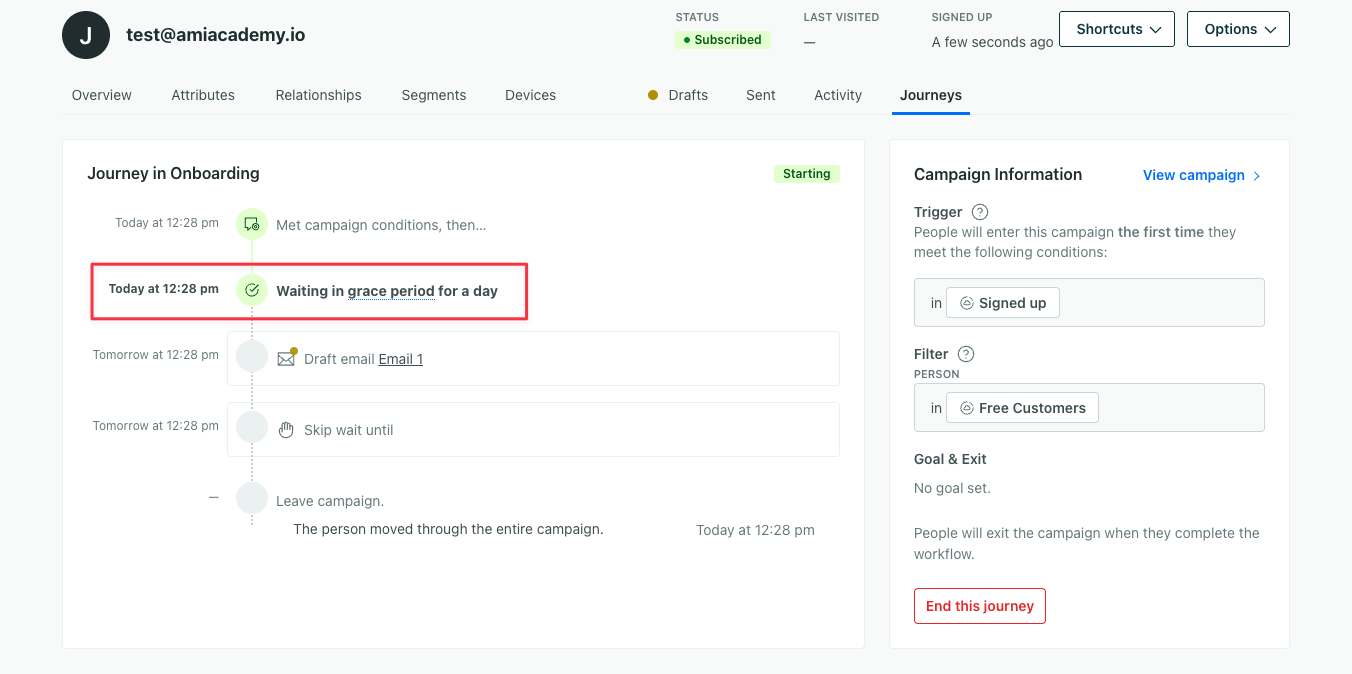
Historically, a grace period was also a period of time people might wait to exit your automation. Grace periods were available across multiple automation types and could impact people entering or exiting an automation.
Now, they only impact people who enter automations with our legacy segment trigger. We’re phasing grace periods out so entrance and exit behaviors are more straightforward.
This article explains two things:
-
How grace periods currently work:
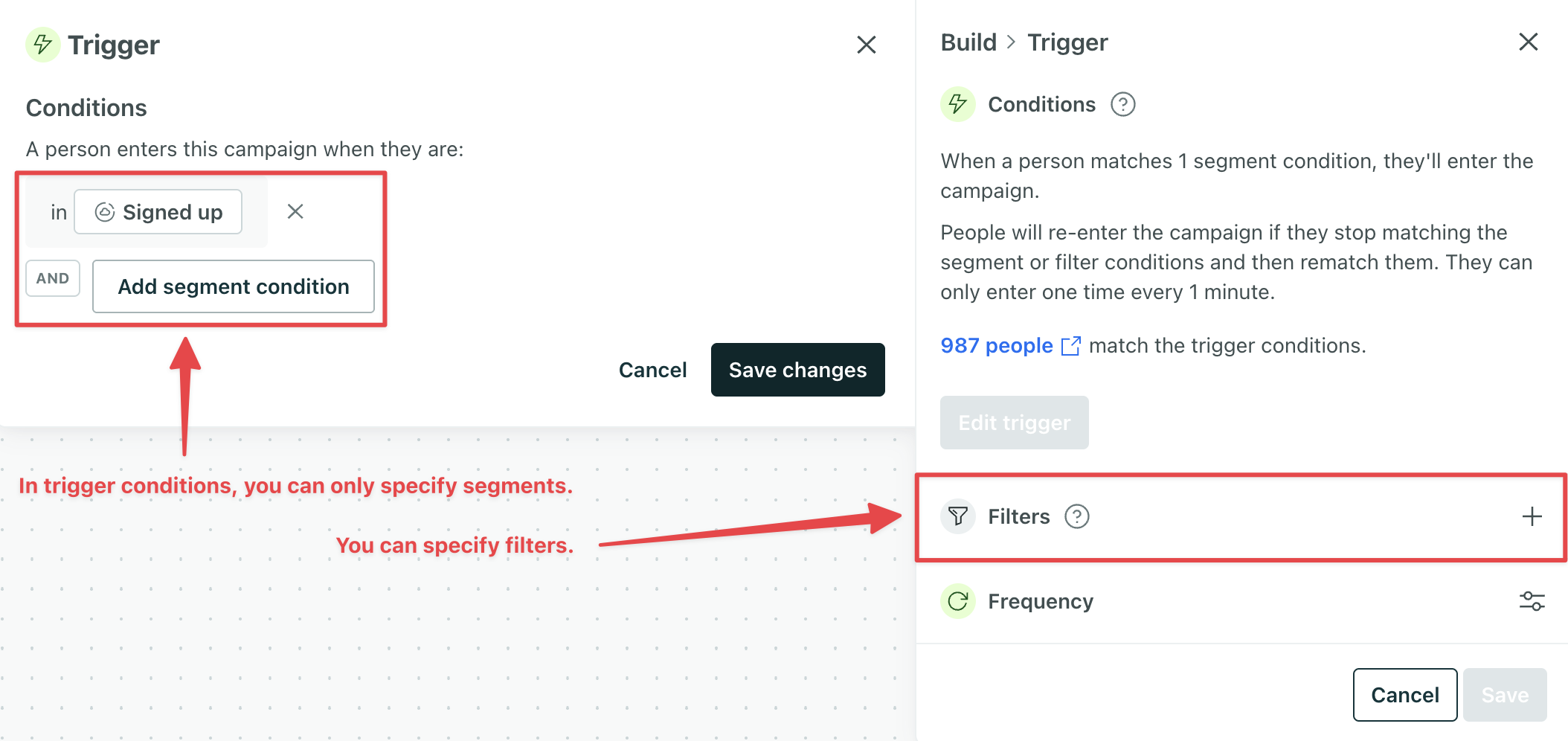
You know you’re using a legacy segment trigger if the trigger panel has these two options:
- You can only specify in/not in segments; with our latest segment trigger, you can also add attributes directly.
- You can add Filters. Filters are not available on our latest segment trigger.
-
How grace periods used to work: This is helpful if you’re viewing a historical journey with grace periods and want to understand what that meant. This includes when a grace period happened after people met your exit conditions, including in legacy segment-triggered automations.
How grace periods currently work
People may wait in grace periods only if they have journeys in a legacy segment-triggered automation. All other automation types do not have grace periods.
If you’re viewing a historical journey and see the person waiting in a grace period for any other automation type, see How grace periods used to work. That section also explains how people would wait in grace periods based on exit conditions for legacy-segment-triggered automations.
How to identify our legacy vs latest segment trigger
You know you’re using a legacy segment trigger if the trigger panel has these two options:
- You can only specify in/not in segments.
- You can add Filters.
| Legacy segment trigger | Latest segment trigger |
|---|---|
 | 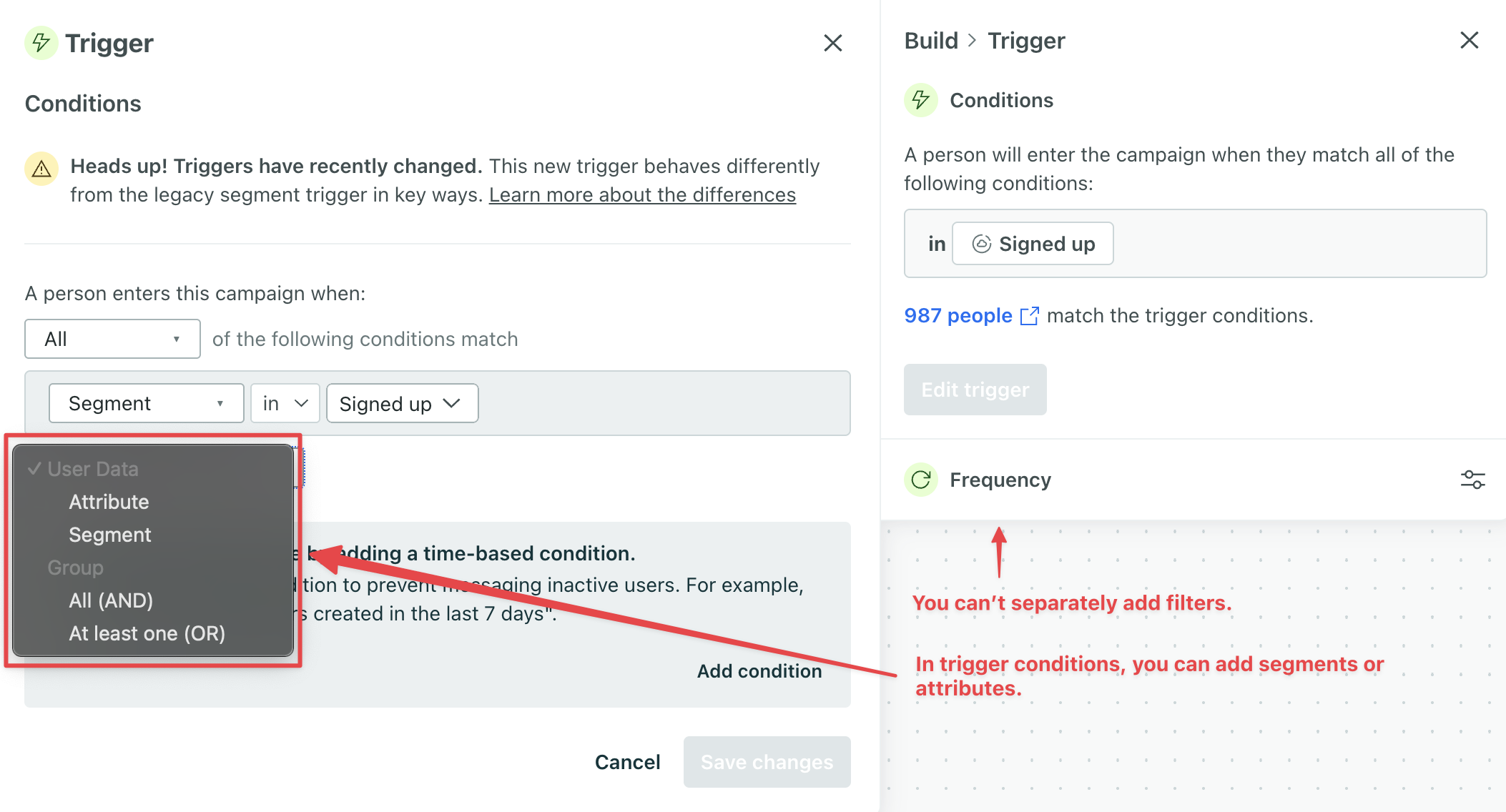 |
If you’re creating an automation from scratch and choose “Attribute or Segement” as the trigger type, you are using the latest segment trigger. There is no way to create an automation from scratch using the legacy trigger.
However, if you duplicate a legacy segment-triggered automation, it will continue to use the legacy trigger type, and people could have grace periods when they enter the automation.
When we hold people in entrance grace periods
People might only wait in grace periods after entering an automation with a legacy segment trigger. This happens when people match the automation’s trigger conditions, but not the filter conditions. If they don’t meet the filter conditions by the time they reach an action that impacts a person, they enter into a grace period.
An action that impacts a person is a message delivery, attribute update, manual segment update, collection query, create event action, or batch update. A person would move through a delay before we re-evaluate filters.
If they match the filter conditions by the end of the grace period, they will move forward. Otherwise, they’ll exit the automation.
Prevent grace periods
If you only want people to trigger legacy segment automations when they meet all of your entrance criteria, you have a couple options:
-
Incorporate your segment filters into your trigger conditions.
-
Create a new segment-triggered automation with the conditions you want. People never have grace periods in these automations.
Note, you can’t simply duplicate a legacy segment-triggered automation because that creates a new automation with the old trigger. Creating a segment-triggered automation from scratch will use the latest trigger with no grace periods.
With both options, people must meet all your trigger conditions before starting a journey in your automation and won’t wait in a grace period.
If you create a new segment-triggered automation, check out more of the differences between the old and new triggers. You may want to add time-based logic to ensure you’re targeting the right people.
How grace periods used to work
We’re phasing out grace periods so entrance and exit behaviors are more straightforward. Historically, a grace period was a period of time people might wait to enter or exit your automation. This was meant to ensure that people who suddenly stopped/started matching your entrance or exit conditions would continue through your automation, but this has proven more confusing than helpful over time.
Grace periods were available across multiple automation types and could impact people entering or exiting your automation:
| Trigger type | Possible grace period after entering an automation | Possible grace period before exiting an automation |
|---|---|---|
| Legacy segment trigger | yes | yes |
| Latest segment trigger | no | no |
| Object updated | no | yes |
| Person added to object | no | yes |
| Relationship changed with object | no | yes |
| Important date | no | yes |
| Event | no | no |
| Form submission | no | no |
| Webhook | no | no |
Now, people may only wait in a grace period when they enter an automation with a legacy segment trigger. But since this is our legacy segment trigger, and our latest segment trigger doesn’t have grace periods, eventally grace periods will be completely phased out of automations.
When we used to hold people in exit grace periods
Automations used to have exit grace periods, but we’ve deprecated this functionality across all automation types to make exit behavior more predictable.
You may come across exit grace periods when looking at a historical journey. It may say “Waited in a grace period” before they officially left the automation. This would happen if the automation let people exit early. When someone matched the conditions to exit, we’d first hold them in a grace period.
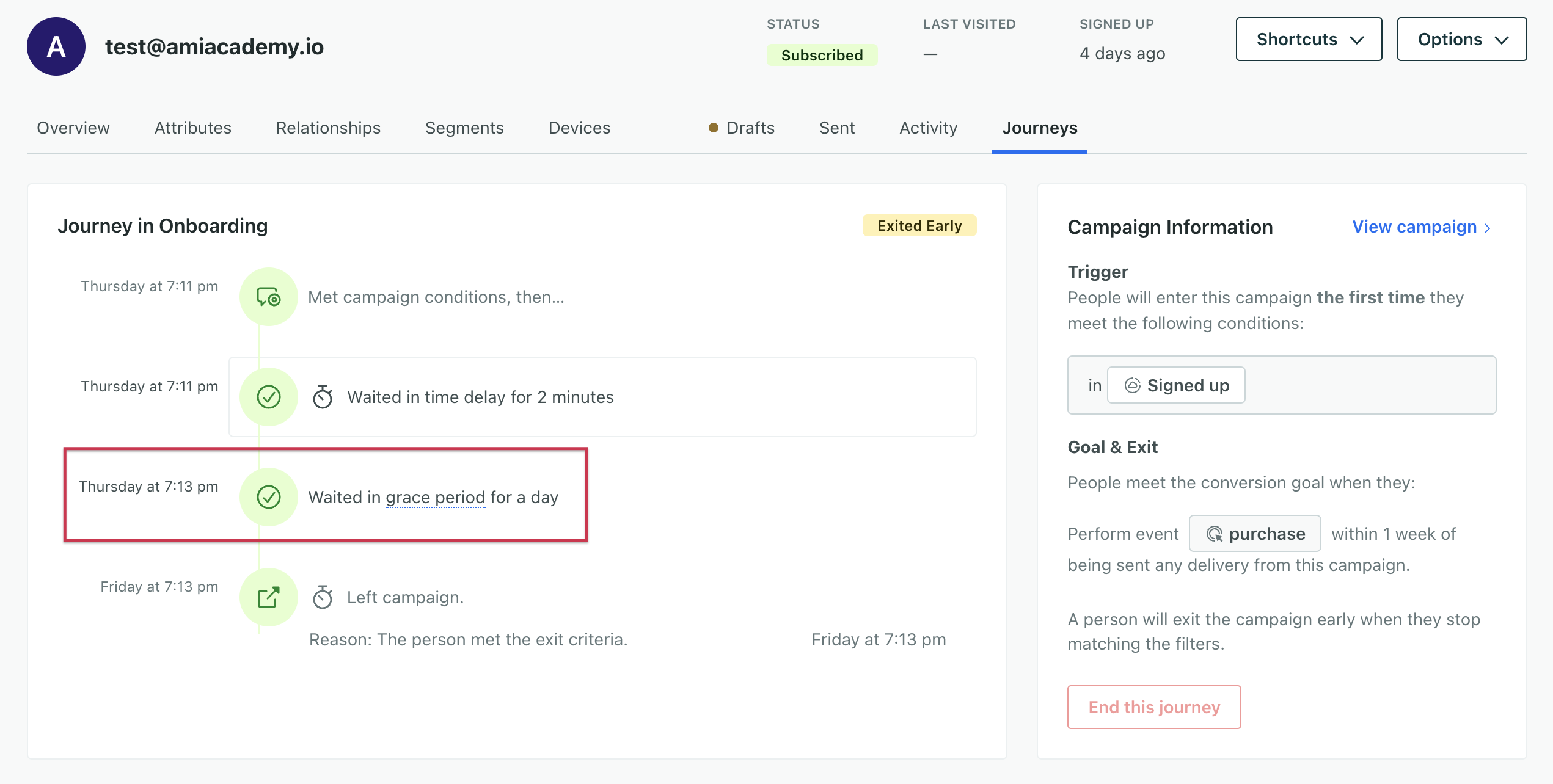
Specifically, if people could exit your automation early when they no longer matched filter conditions, we would first hold them in a grace period before ending their journey.
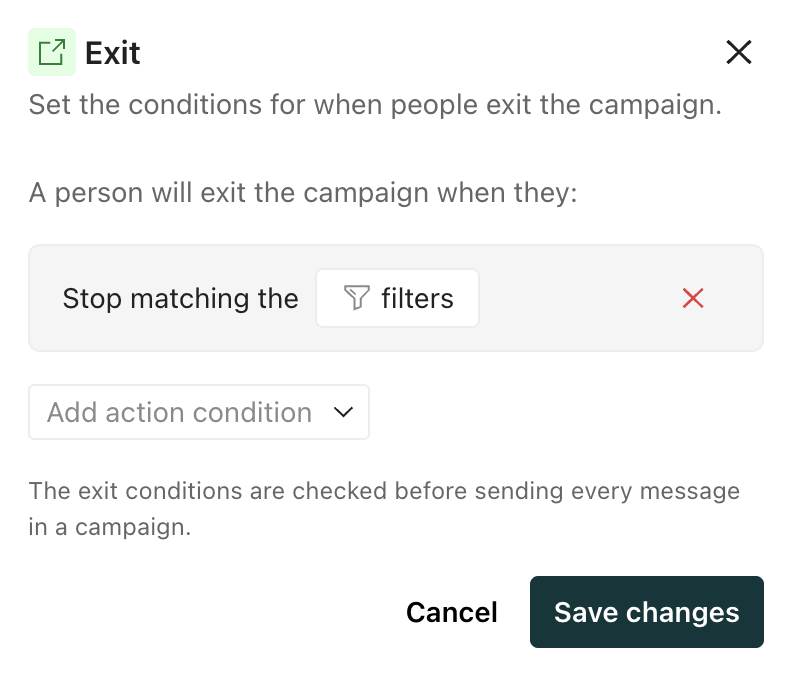
We did this to ensure people met your conditions for a period of time and should actually exit. If they rematched filters within that timeframe, they’d move forward; otherwise, they’d exit.
For legacy segment-triggered automations, the early exit condition checked when they no longer matched filter or trigger conditions. So if you’re troubleshooting a historical journey in this type of automation, keep in mind they only had to stop matching trigger OR filter conditions, not both, to wait in a grace period then exit.