Line: Send messages
UpdatedAfter you’ve set up LINE, you can send messages to your audience as a part of campaigns or broadcasts.
Send a LINE message
As a part of your campaign or broadcast workflow:
- Drag LINE into your workflow.
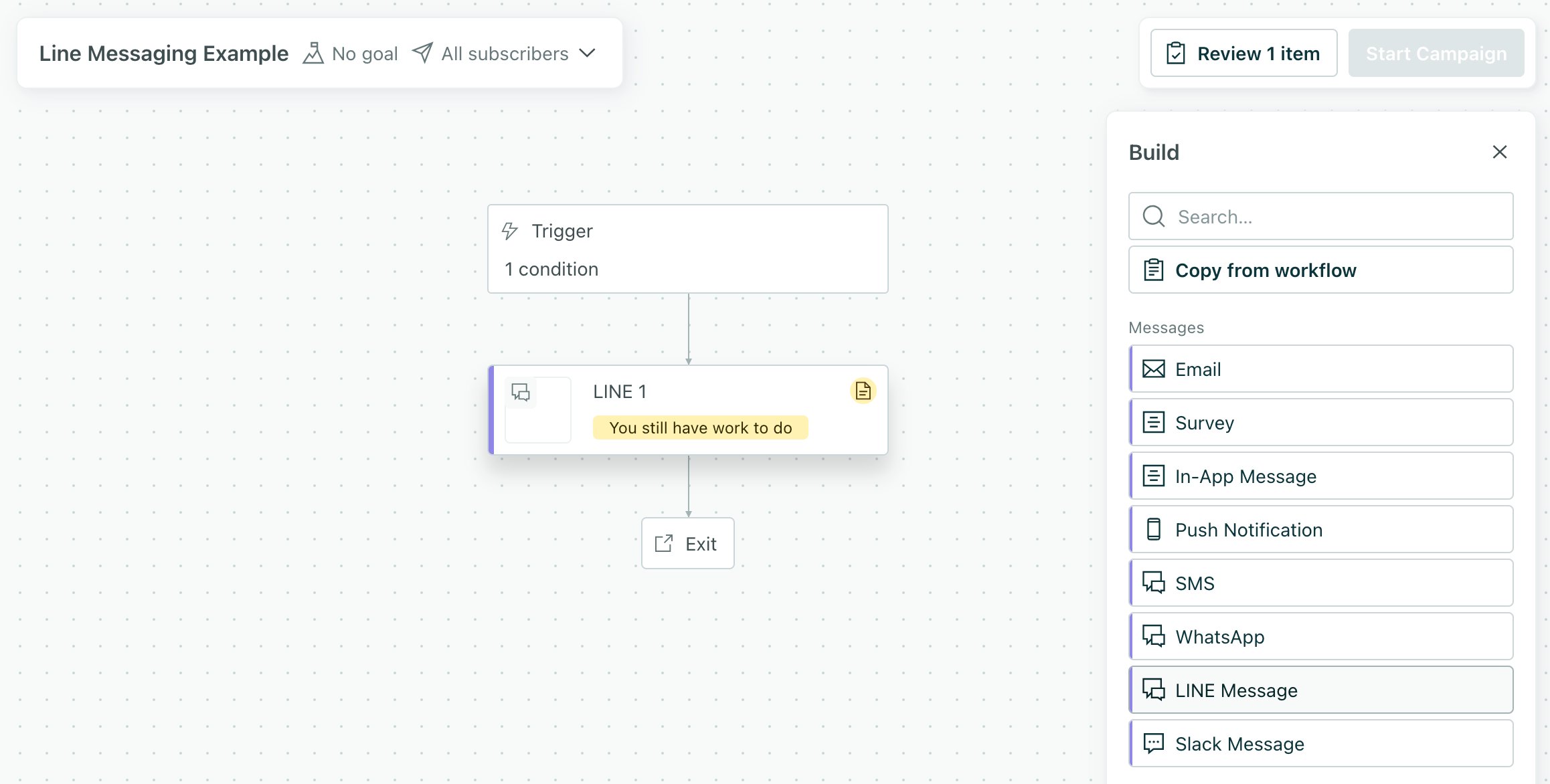
- Click the message and click Add Content.
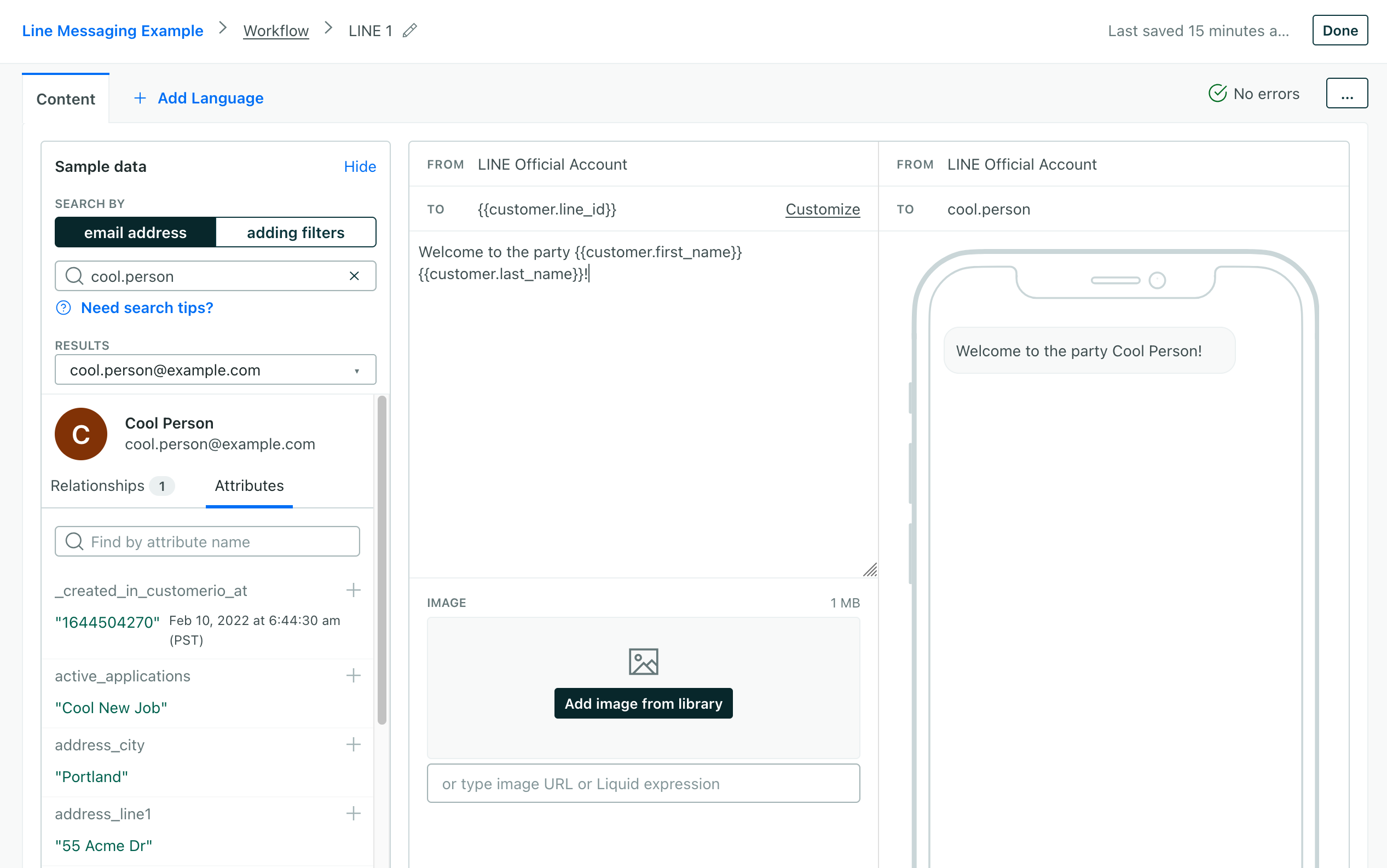
- If you store your audience’s LINE ID in an attribute other than
line_id, set the correct attribute in the To field. - Add text and image content to your message.
- Click Save Changes.
What kinds of messages can I send?
While LINE supports a variety of message types, we support basic text and image messages.
You can send text and an image in the same message, but your text and image appear to the user as separate messages. We don’t charge you by the message, so this doesn’t affect your usage or bill!
How do you set the LINE ID?
By default, the LINE ID—the way you identify your LINE audience—is the line_id attribute. If you store this attribute in differently, you’ll set it in the To field using our standard liquidA syntax that supports variables, letting you personalize messages for your audience. For example, if you want to reference a person’s first name, you might use the variable {{customer.first_name}}. syntax for attributes—{{customer.line_id}}.
LINE metrics
Like other kinds of messages, we generate metrics for your LINE messages to help you understand how they performed across your audience.
| Metric | Description |
|---|---|
| Attempted | We’re trying to send the message to LINE. You may see this status multiple times if we need to retry your message (due to liquidA syntax that supports variables, letting you personalize messages for your audience. For example, if you want to reference a person’s first name, you might use the variable {{customer.first_name}}. errors or other issues). |
| Sent | We’ve sent the message to LINE. |
| Delivered | The message was delivered to the audience, as reported by LINE. |
| Opened | The message was opened by the audience. |
| Clicked | The audience clicked a link in the message. |
| Converted | The audience converted on a message. You define your conversion criteria in your campaign. |