Segment builder
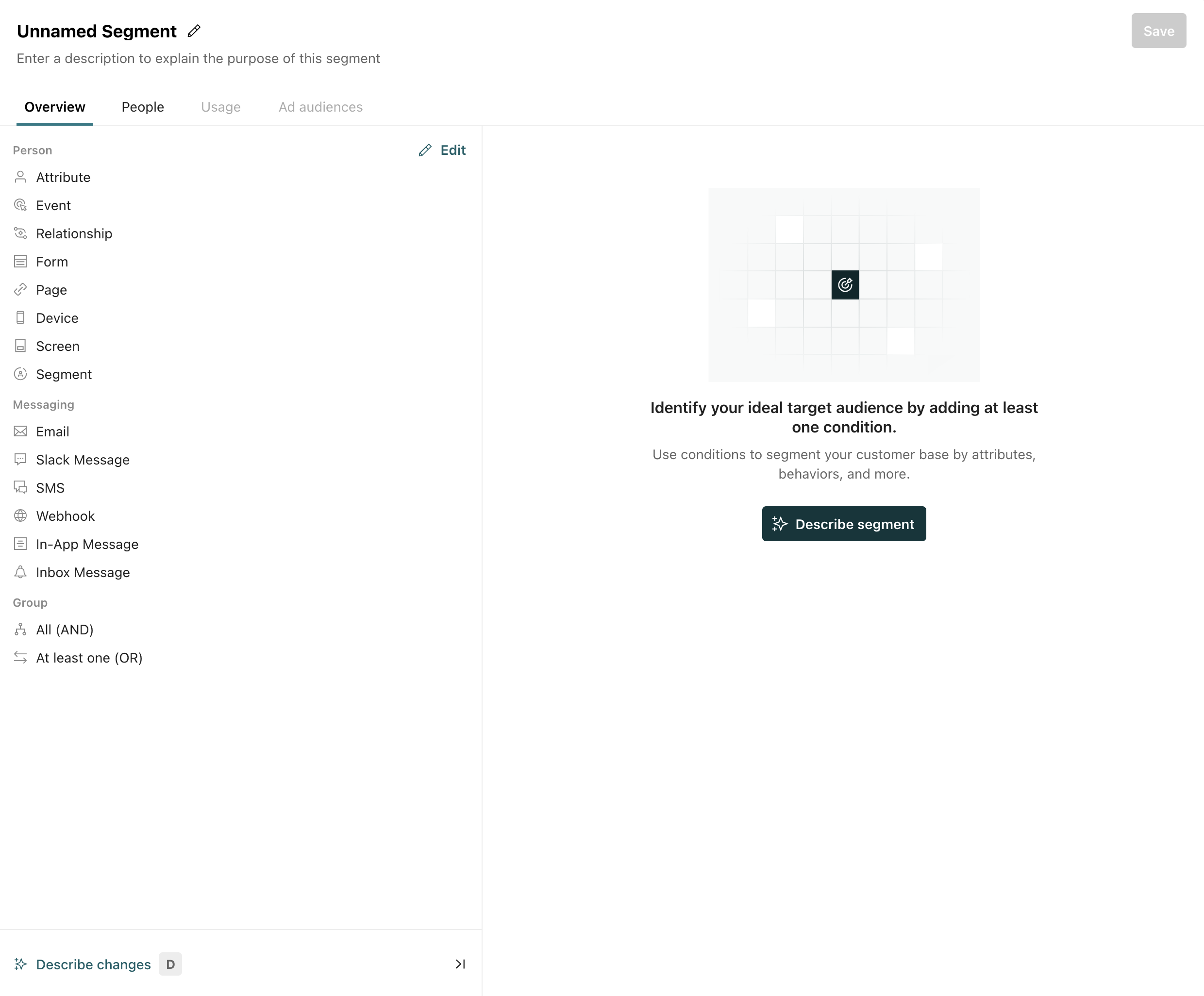
UpdatedWhen you go to create a segment, you can click Describe segment and the agent will help you build a segment from a plain-text description.
How it works
Segment conditions typically require you to break your audience down into if this, then that style statements—but the logic can become complex when you have narrow or especially dense conditions.
To help you build these conditions, you can use our agent. Describe the segment or ask for suggestions based on your target audience.
You can ask the agent to build a segment at any time. Or, when you go to create a segmentA group of people who match a series of conditions. People enter and exit the segment automatically when they match or stop matching conditions., click Describe segment to start a conversation with the agent.
Not seeing this AI feature?
Getting better suggestions
Like many AI-related features, success typically requires:
- Well-defined data: make sure your data has clear names and descriptions to help us better set up your segment criteria.
- A clear prompt: the better you can describe your ideal audience, the better the suggested segment will be.
Check the results before you use an AI-generated segment
When you create a segment, check the results to make sure they match your expectations. Is the count of people in the segment reasonable to you? You might even spot check a user or two to make sure they’re who you expect to see in the segment.
If the segment doesn’t match your expectations, you can tell the agent what’s wrong and have it revise the segment; or you can edit the segment conditions manually.
As suggestions become more accurate, you may want to edit conditions manually. AI often gets you most of the way to your objective, but you’re ultimately in control of your segments and the people you want to send messages to.