Search your workspace
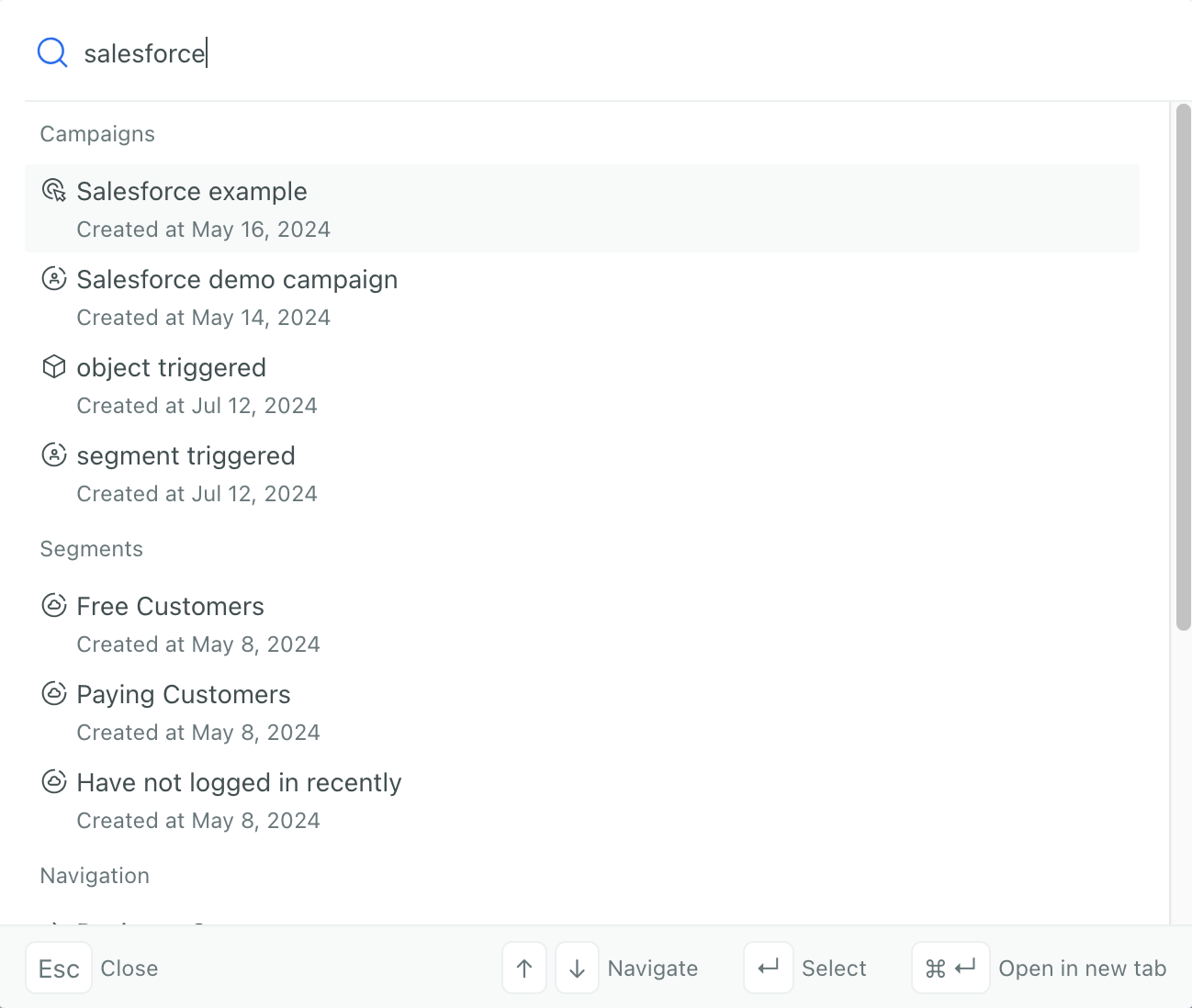
New UpdatedOur universal search feature can help you find campaigns, segments, templates, and other items in your workspace.
Press ⌘K on Mac or CtrlK on Windows and Linux to open the search dialog from anywhere in your workspace.

Universal search is independent of the Customer.io AI toggle in your Privacy, Data, & AI settings. Disabling Customer.io AI doesn’t affect universal search.
What you can search for
The universal search feature cannot search for people or their data. It only searches workspace configuration—the names and content of things you’ve built in Customer.io. To find specific people, use the activity log, people page, or segments.
Universal search helps you find the following items in your workspace:
- Campaigns by name
- Segments by name
- Templates by name or content
- Broadcasts (newsletters and API-triggered) by name
- Actions (workflow actions) by name
- Navigation shortcuts to jump to pages like settings or metrics
How search works
When you type a query, universal search uses AI-enhanced ranking to surface the most relevant results. You don’t need to type an exact match—the search tries to capture the intent behind your query and rank results accordingly based on the keywords you use.
For example, searching for “welcome” might return your “Welcome series” campaign, a “New user welcome” template, and a “Welcome email” broadcast. The word “welcome” might not even appear in the names or descriptions of these items, but the search will try to rank results that represent the same concept.
Privacy and data handling
Universal search indexes workspace configuration data to make things easier to find—things like campaign names, segment names, attribute names, template content, and other metadata. We do not index or access your customers’ personal information.
- PII is not indexed. Search indexes workspace data (names, descriptions, types), not the values of your customers’ attributes or events.
- All search data stays within Google Cloud infrastructure.
- Search data is not used to train AI models.
- No data is shared with external AI providers.